A common challenge that we all face, especially with the trend of making bigger phones, is reaching widgets far away from our thumbs reach, on our phones screens while holding them. Designers try to optimize that by placing most frequently accessed buttons in the most comfortable reach for the thumb (by using heat maps from test sessions or from live products). A recent paper proposes a model for calculating the thumb functional area[1]. By giving the algorithm four values, it calculates the area and plots it. The four values are:
- Finger Span or Hand size (s): the distance between the thumb and index finger as shown in the figure
- Index-finger distance (d): the distance of the index fingertip from the point of intersection of the hand with the phone
- Hand orientation
- Hand position from origin
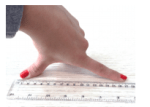
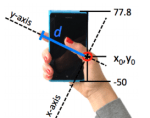

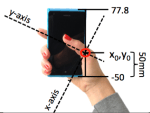
After obtaining the measurements, you can run the algorithm and see the thumb reach. I ran two tests to see how it looks like. The device used was an iPhone 5c (124.4 mm height, 59.2 mm width). Two participants were chosen: a male and a female.
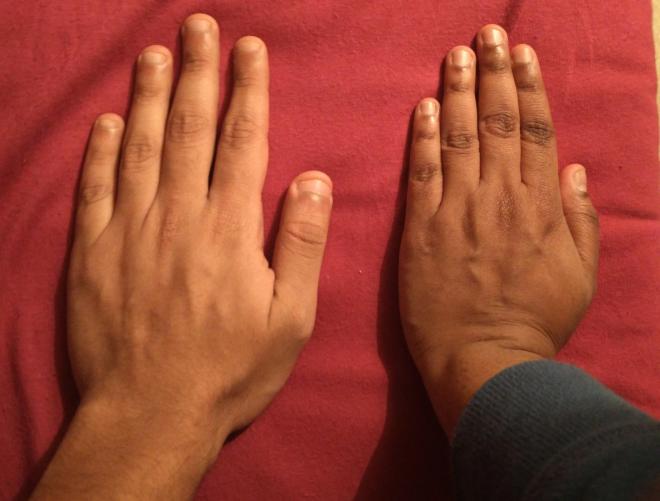
Experiment 1: Male Hand
Measurements
| Finger Span (s) | 213 mm |
| Index Finger Distance (d) | 104 mm |
| Hand position from origin | 62 mm |
| alpha α | 121 degrees |
Result
Maximum reach from origin = 71.073 mm

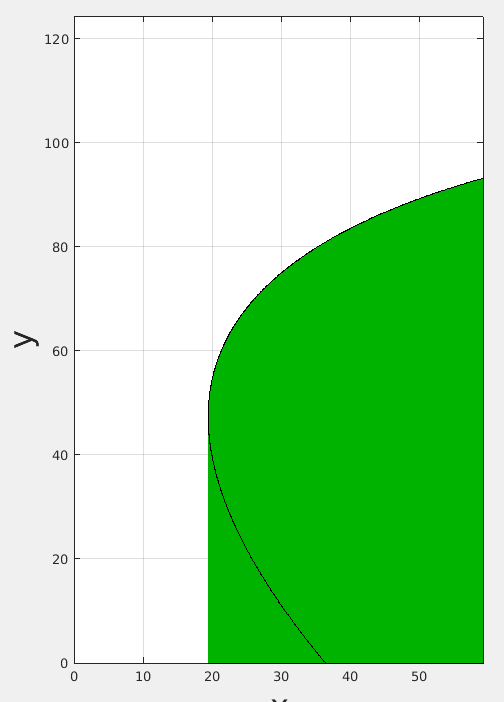
Experiment 2: Female Hand
Measurements
| Finger Span (s) | 175 mm |
| Index Finger Distance (d) | 95 mm |
| Hand position from origin | 64 mm |
| alpha α | 112 degrees |
Result
Maximum reach from origin = 39.76 mm
Conclusion
For a bigger hand with higher maximum reach from origin and for this user grip, most frequent items can be placed close to the maximum reach area to avoid pending of the thumb, which might lead to degradation in performance. The area of coverage is quite large, so placing other icons at any area inside the reach would be enough. For smaller hands, placing the frequent items can be done on the edge of the reach area, x(20, to end) and y(0,95) as the user’s reach is quite smaller than the big hand.
 Engineering The Design